

commonpub.io blog
Fixing a project's HTML explainer on screen and handing it off as one link
I'm building NOS: fix the text of a project explainer right on the page, then share it as a link that stays the same after edits.
I turn a Pocketbeagle2 into a mouse
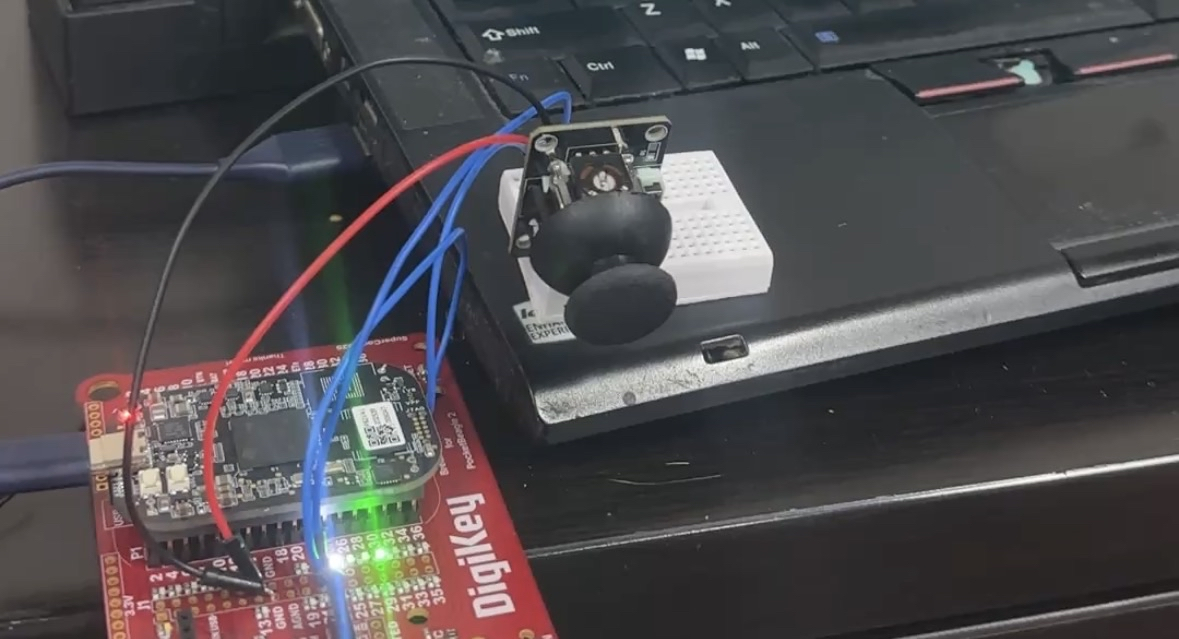
I have a Pocketbeagle2 with a breakout board & a joystick. I wanted to make another "trackpoint" mouse.
To start, I had to flash BeagleBone's Debian image onto a microSD card. I plugged my microSD card into my laptop & used lsblk to find the name of it. In my case, it was called mmcblk0, so I ran the following to download, decompress & flash the card:
curl https://files.beagle.cc/file/beagleboard-public-2021/images/pocketbeagle2-debian-13.3-iot-v6.19-k3-arm64-2026-02-12-8gb.img.xz |
	xzcat |
	sudo dd of=/dev/mmcblk0 bs=1M
I connected the board to my laptop & I usually run dmesg | grep tty to see where a TTY is available. I saw the following output:
[    0.095257] printk: legacy console [tty0] enabled
[    4.979923] systemd[1]: Created slice Slice /system/getty.
[88779.759795] cdc_acm 2-1.1:1.2: ttyACM3: USB ACM device
The last line indicated to me that there is a TTY device available called ttyACM3, so I ran the following to get a TTY:
sudo picocom -b 115200 /dev/ttyACM3I used the default username, debian, and password tmppasswd to log in & then proceeded to reset the password.
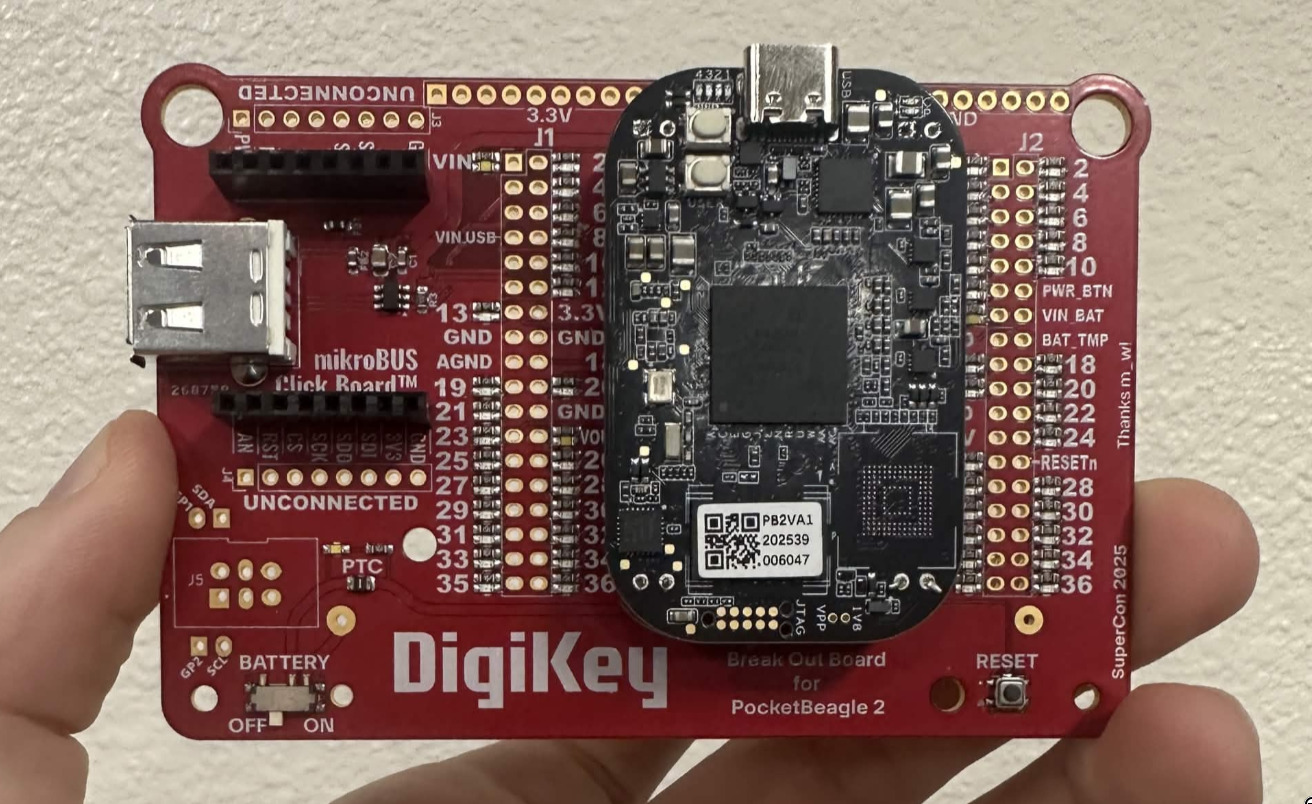
Since my goal was to use an analog joystick, I needed to figure out how to get the values from the analog pins, seen in the diagram below(P1.19, P1.21, P1.23, etc):
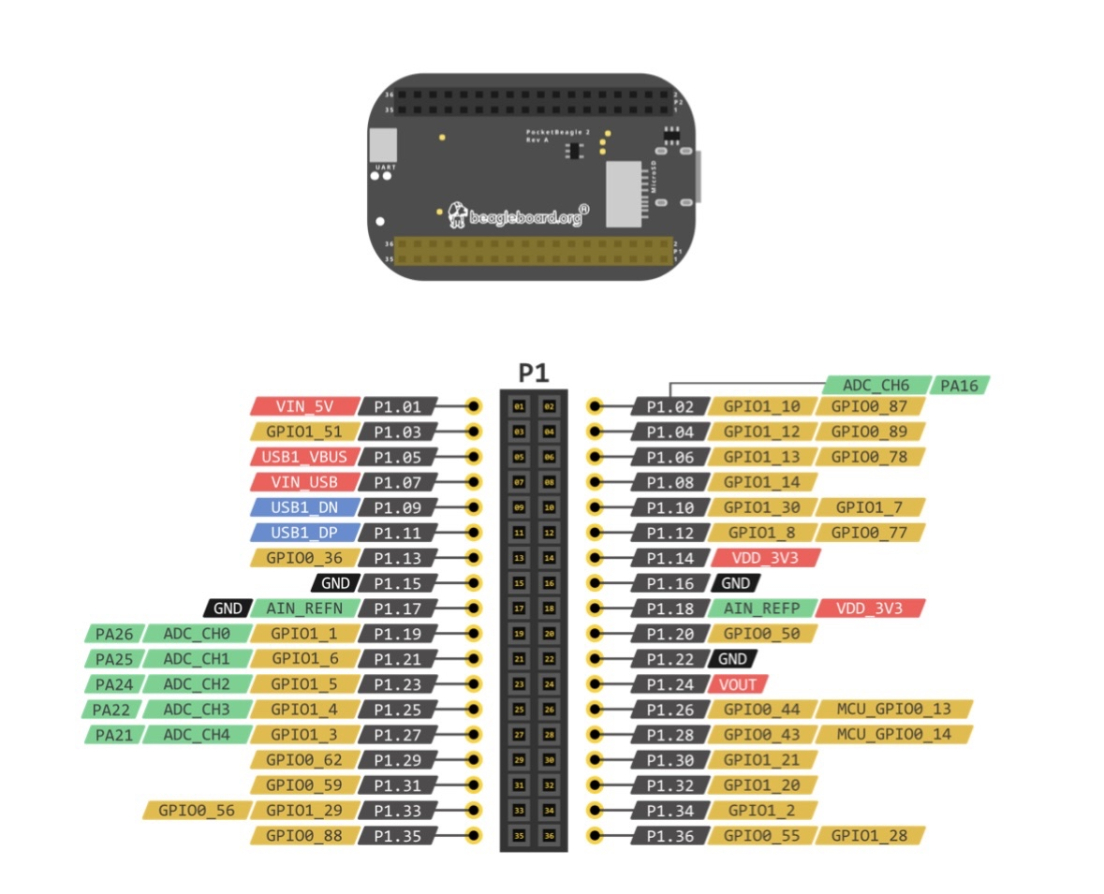
I had found a repository featuring example projects using the Pocketbeagle2. This file pointed me to an analog-to-digital converter device called ad7291 .
I found the device directory with grep ad7291 /sys/dev/char/*/name. In that directory, I found in_voltage[0-7]_raw. 8 files with number values in them:
debian@BeagleBone:~$ cat /sys/dev/char/236:0/in_voltage[0-7]_raw
2056
1940
1927
1887
1886
8
1927
1957
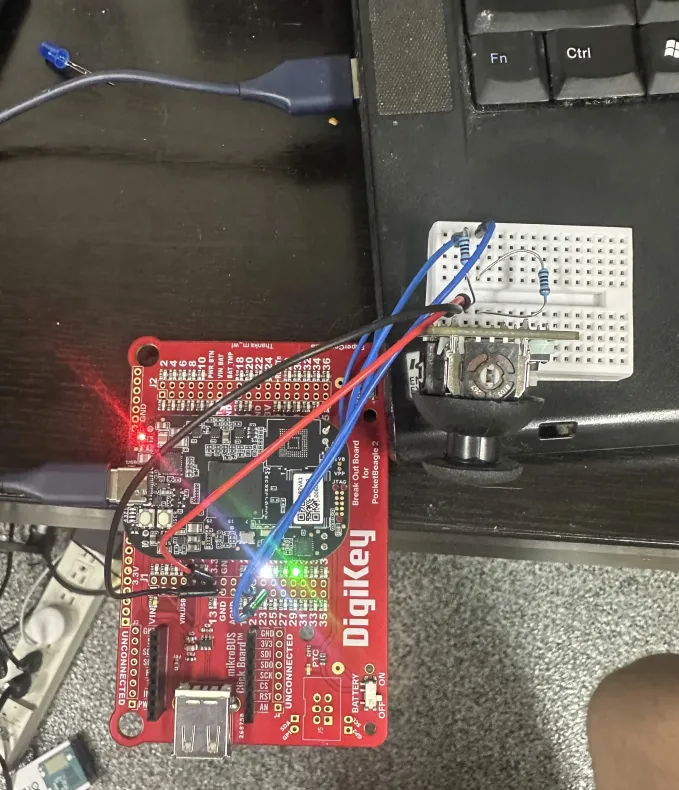
I connected P1.19 to ground & saw in_voltage0_raw dip to 0. I connected in_voltage0_raw to the 3.3V & saw it reach 4000. This is exactly what I needed. I then wired everything up:
For controlling my laptops cursor, I was thinking of just writing some commands over SSH. For that, I needed to get them connected over IP over USB.
I saw that the USB device was given the IP 192.168.7.2/24
debian@BeagleBone:~$ ip -br a
lo               UNKNOWN        127.0.0.1/8 ::1/128
dummy0           DOWN
usb0             UP             192.168.7.2/24 fe80::647:7ff:fe2d:cb76/64
docker0          DOWN           172.17.0.1/16
So I gave my corresponding device(enp0s26u1u1) an address in the same subnet:
sudo ip addr add 192.168.7.1/24 dev enp0s26u1u1
sudo ip link set up dev enp0s26u1u1
Once they were able to reach eachother over the network, I came up with the following script to take the analog values & control my laptop's cursor over SSH:
(
        echo export DISPLAY=:0
        while :; do
                read x < /sys/dev/char/236:0/in_voltage1_raw
                read y < /sys/dev/char/236:0/in_voltage2_raw
                x=$(( +1 * (x-2000) / (50) ))
                y=$(( -1 * (y-2000) / (50) ))
                echo xdotool mousemove_relative -- $x $y
                sleep 0.04
        done
) | tee /dev/stderr | ssh jer@192.168.7.1
I really like using tee /dev/stderr for debugging.
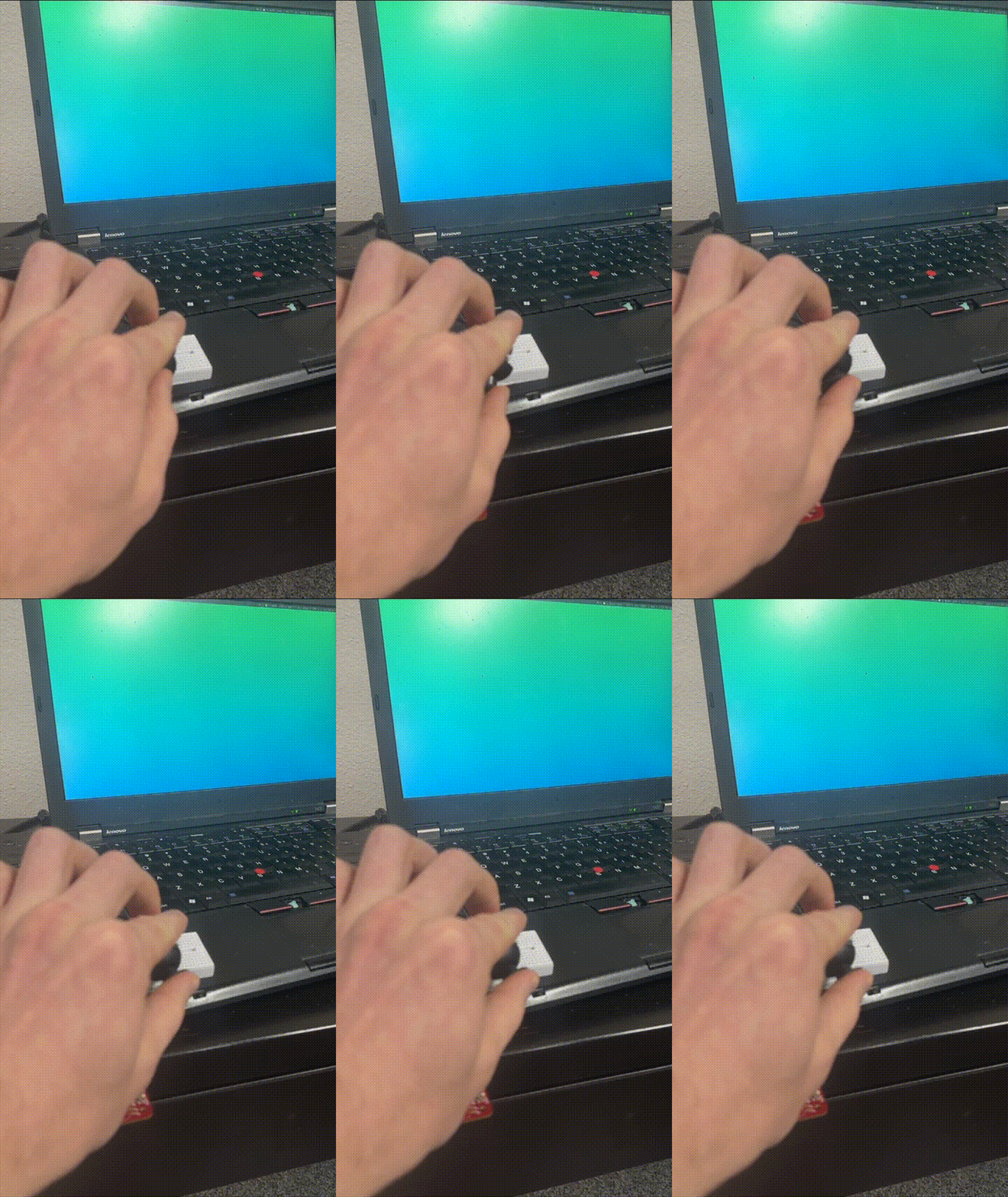
And it works!
Log in to comment.
I'm building NOS: fix the text of a project explainer right on the page, then share it as a link that stays the same after edits.

Struggling to learn PCB design? Here is how Fedevel Academy’s beginner course helped me finally bridge the gap between messy breadboards and professional, manufactured hardware.

My thoughts on a lack of engineering leadership
 keenan johnson
No comments yet. Be the first!