

commonpub.io blog
Fixing a project's HTML explainer on screen and handing it off as one link
I'm building NOS: fix the text of a project explainer right on the page, then share it as a link that stays the same after edits.
We render your hand-held virtual donut
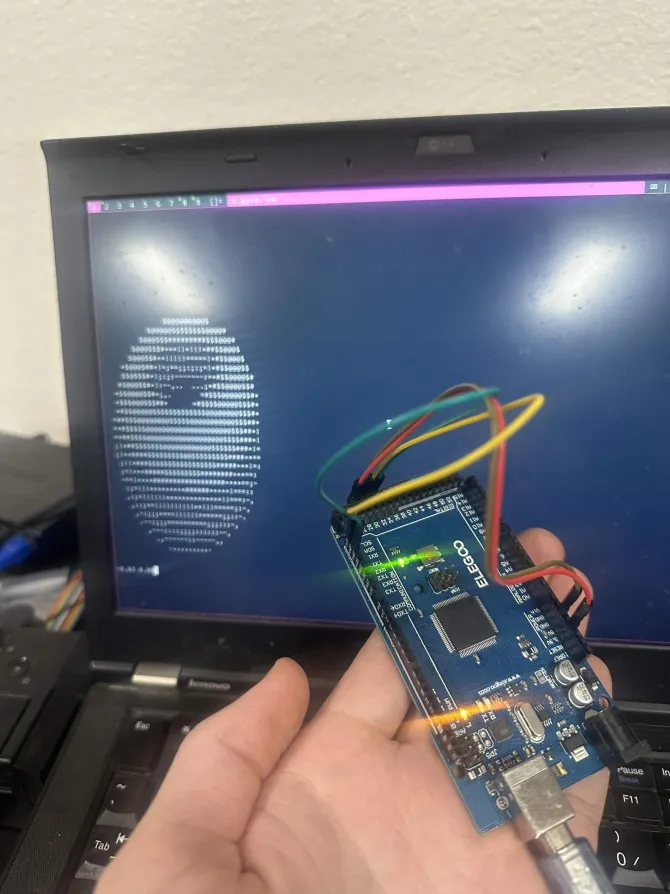
So I have an Arduino mega here & a gyroscope.
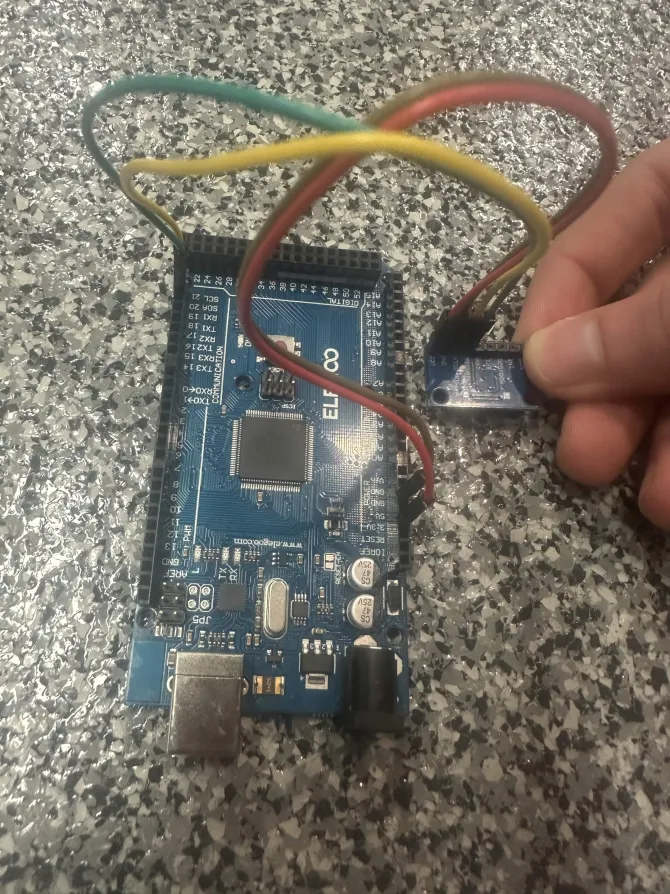
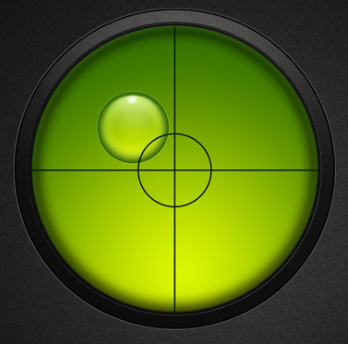
At first, I wanted to make a digital level, like this:
With a pixel matrix like this:
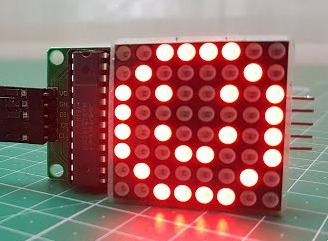
But I couldn't find the right library & I didn't feel like reading through the component spec.
I had remembered seeing renderings of rotating donuts, as an introduction to graphics programming, and figured it'd be cool to see the donut's orientation reflected by the gyroscope.
I found this article which discusses the math - I just copied the code & "ported it to UNIX"(made it easier to use in a UNIX environment). Here is the code
#include <math.h>
#include <stdio.h>
#include <sys/ioctl.h>
#include <unistd.h>
#include <stdlib.h>
#include <string.h>

#define THETA_SPACING 0.07f
#define PHI_SPACING 0.02f

#define PI 3.14159265358979323846
#define R1 1.0f
#define R2 2.0f
#define K2 5.0f

int main (int argc, char **argv) {
	char *s;
	int n;

	float K1, A, B;

	char *output;
	float *zbuffer;

	struct winsize w;
	ioctl(STDOUT_FILENO, TIOCGWINSZ, &w);

	if ((s = getenv("LINES"))) {
		w.ws_row = atoi(s);
	}

	if ((s = getenv("COLUMNS"))) {
		w.ws_col = atoi(s);
	}

	K1 = w.ws_col*K2*3/(8*(R1+R2));

	output = malloc(sizeof(char)*w.ws_row*w.ws_col);
	zbuffer = malloc(sizeof(float)*w.ws_row*w.ws_col);

	A = 0;
	B = 0;

	if (argc >= 2) {
		A = strtof(argv[1], NULL);
	}

	if (argc >= 3) {
		B = strtof(argv[2], NULL);
	}

	memset(output, ' ', sizeof(char)*w.ws_row*w.ws_col);
	memset(zbuffer, 0, sizeof(float)*w.ws_row*w.ws_col);

	for (float theta = 0; theta < 2*PI; theta += THETA_SPACING) {
		for(float phi = 0; phi < 2*PI; phi += PHI_SPACING) {

			float circlex = R2 + R1*cos(theta);
			float circley = R1*sin(theta);

			float x = circlex*(cos(B)*cos(phi) + sin(A)*sin(B)*sin(phi)) - circley*cos(A)*sin(B);
			float y = circlex*(sin(B)*cos(phi) - sin(A)*cos(B)*sin(phi)) + circley*cos(A)*cos(B);
			float z = K2 + cos(A)*circlex*sin(phi) + circley*sin(A);

			int xp = (int) (w.ws_col/2 + K1*(1/z)*x);
			int yp = (int) (w.ws_row/2 - K1*(1/z)*y);
			if (xp < 0 || yp < 0 || xp > w.ws_col || yp > w.ws_row) {
				continue;
			}

			float L = cos(phi)*cos(theta)*sin(B) - cos(A)*cos(theta)*sin(phi) - sin(A)*sin(theta) + cos(B)*(cos(A)*sin(theta) - cos(theta)*sin(A)*sin(phi));
			if (L > 0) {
				if((1/z) > zbuffer[xp+(yp)*w.ws_col]) {
					zbuffer[xp+(yp)*w.ws_col] = (1/z);
					if (xp > 0 && yp > 0) {
						output[xp+((yp)*w.ws_col)] = ".,-~:;=!*#$@"[(int)(L*8)];
					}
				}
			}
		}
	}

	for (int j = 0; j < w.ws_row; j++) {
		for (int i = 0; i < w.ws_col; i++) {
			putchar(output[i+(j*w.ws_col)]);
		}
		putchar('\n');
	}
}
You can compile it(gcc -lm donut.c -o donut) & pass it up to two numbers as arguments like this: ./donut 1 1.5 and you should see the following:
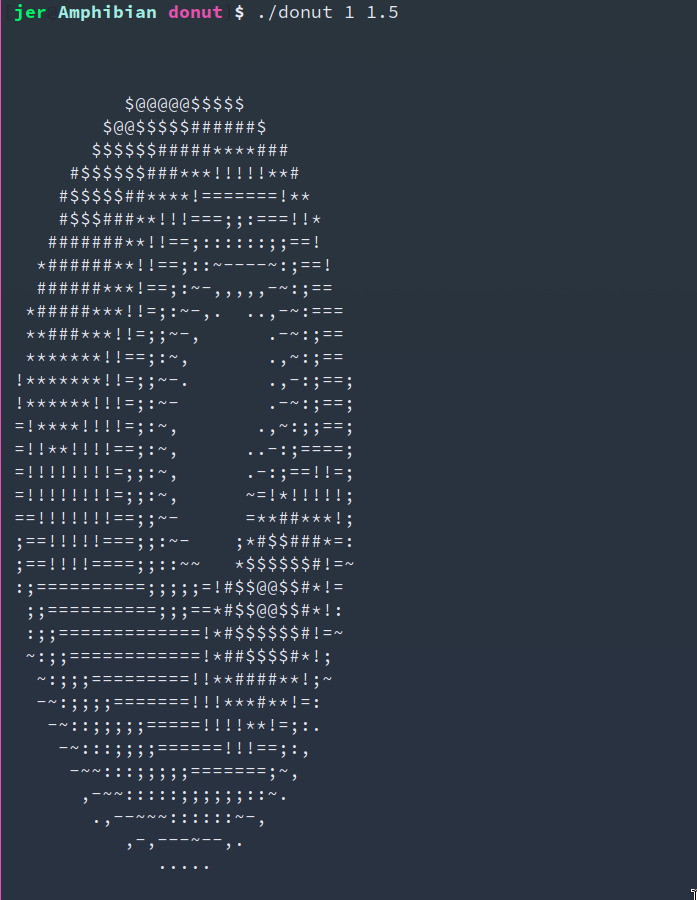
Since it's a donut, I only care about its roll & pitch - not its yaw. A donut looks the same, even if you rotate it N-degrees.
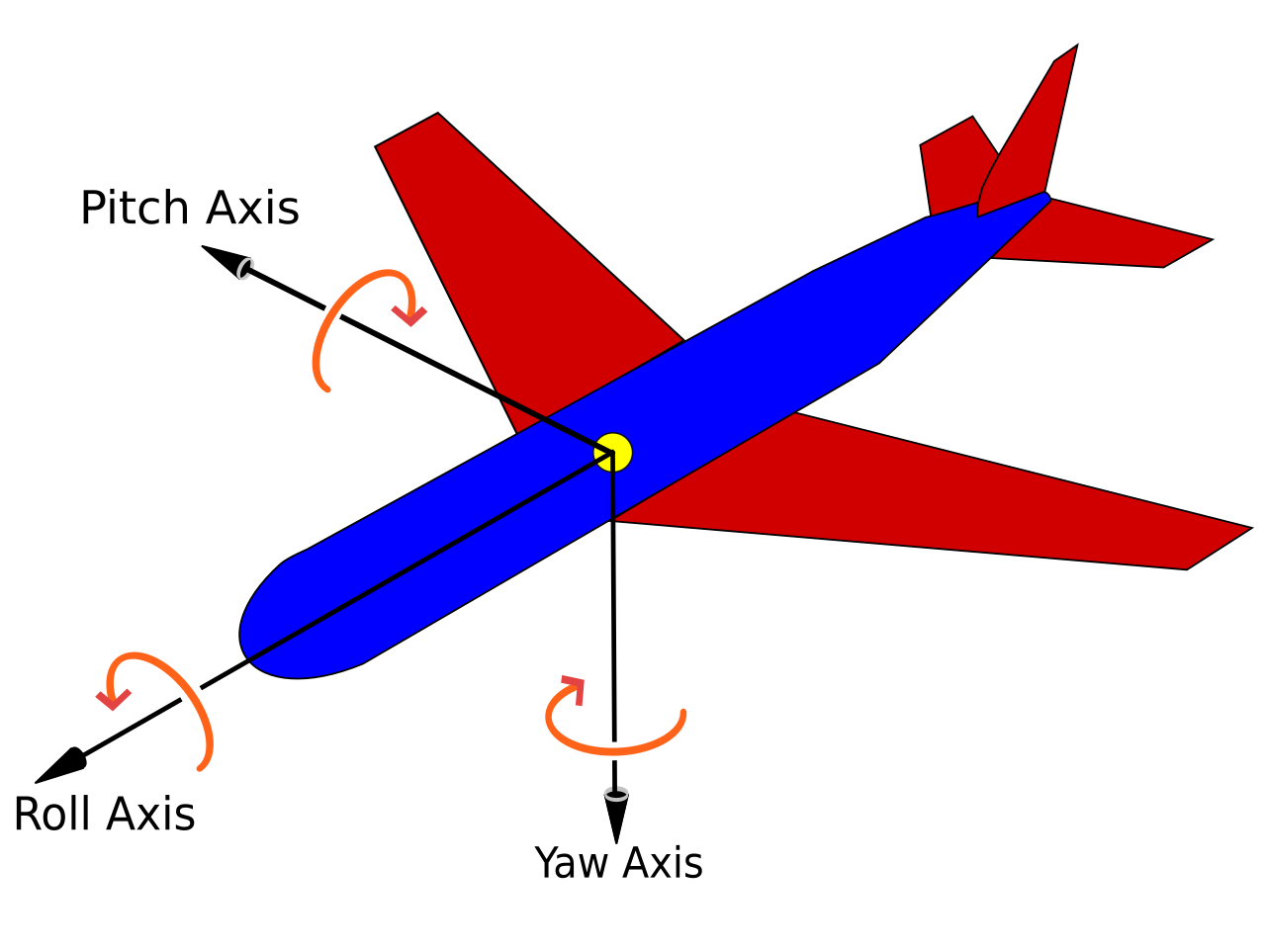
Since we're constantly accelerating upwards, we can use X & Y acceleration values from the gyroscope to estimate the gyroscope's orientation towards the ground. Here's the code to print the X & Y acceleration to the console:
#include <Wire.h>

int i;
char buf[128];
int acc[3], gyro[3], temperature;

void setup() {
	Serial.begin(9600);
	i = 0;

	Wire.beginTransmission(0x68);
	Wire.write(0x6B);
	Wire.write(0x00);
	Wire.endTransmission();

	Wire.beginTransmission(0x68);
	Wire.write(0x1C);
	Wire.write(0x10);
	Wire.endTransmission();

	Wire.beginTransmission(0x68);
	Wire.write(0x1B);
	Wire.write(0x08);
	Wire.endTransmission();
}

void loop() {
	Wire.beginTransmission(0x68);
	Wire.write(0x3B);
	Wire.endTransmission();
	Wire.requestFrom(0x68, 14);

	acc[0] = Wire.read()<<8|Wire.read();
	acc[1] = Wire.read()<<8|Wire.read();
	acc[2] = Wire.read()<<8|Wire.read();
	temperature = Wire.read()<<8|Wire.read();
	gyro[0] = Wire.read()<<8|Wire.read();
	gyro[1] = Wire.read()<<8|Wire.read();
	gyro[2] = Wire.read()<<8|Wire.read();

	sprintf(buf, "%4.2f %4.2f\n", ((float)acc[0])/3000, ((float)acc[1])/3000);
	if (i%10 == 0) {
		Serial.print(buf);
	}

	delay(10);
	i++;
}
Sadly, since Arduino's printf-functions do not handle floats by default, you may see output like the following:
? ?
? ?
? ?
? ?
? ?
? ?
...
I gave it the linker flags -Wl,-u,vfprintf -lprintf_flt and it worked properly:
0.23 -0.04
0.08 0.12
0.33 0.39
0.25 0.44
-0.34 0.62
0.26 0.13
1.18 -1.47
...
All that's left is to write a little shell to compose the two programs:
arduino-cli monitor --fqbn $FQBN -p /dev/ttyACM0 |
	while read a b; do
		clear
		./donut "$a" "$b"
		printf "%0.2f %0.2f" "$a" "$b"
	done
And there you have it! Here's a video demonstration:
Log in to comment.
I'm building NOS: fix the text of a project explainer right on the page, then share it as a link that stays the same after edits.

Struggling to learn PCB design? Here is how Fedevel Academy’s beginner course helped me finally bridge the gap between messy breadboards and professional, manufactured hardware.

My thoughts on a lack of engineering leadership
 keenan johnson
No comments yet. Be the first!