

blog
My Journey Learning KiCad
Struggling to learn PCB design? Here is how Fedevel Academy’s beginner course helped me finally bridge the gap between messy breadboards and professional, manufactured hardware.
I struggle to make a simple network testing gadget with the Arduino Portenta H7 breakout board
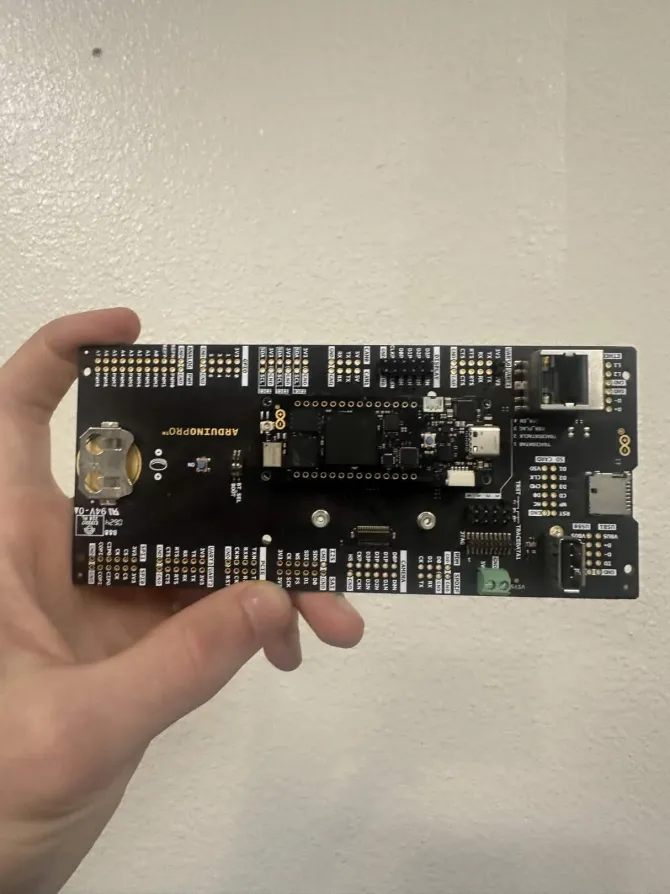
I wanted to make a simple, small device, with a single ethernet port just to acquire an IP address & display it on a small screen. This would serve as an easy-to-use network-debugging device & teaching tool.
I had thought the Portenta Breakout board with the Portenta H7 might work, considering the ethernet port.
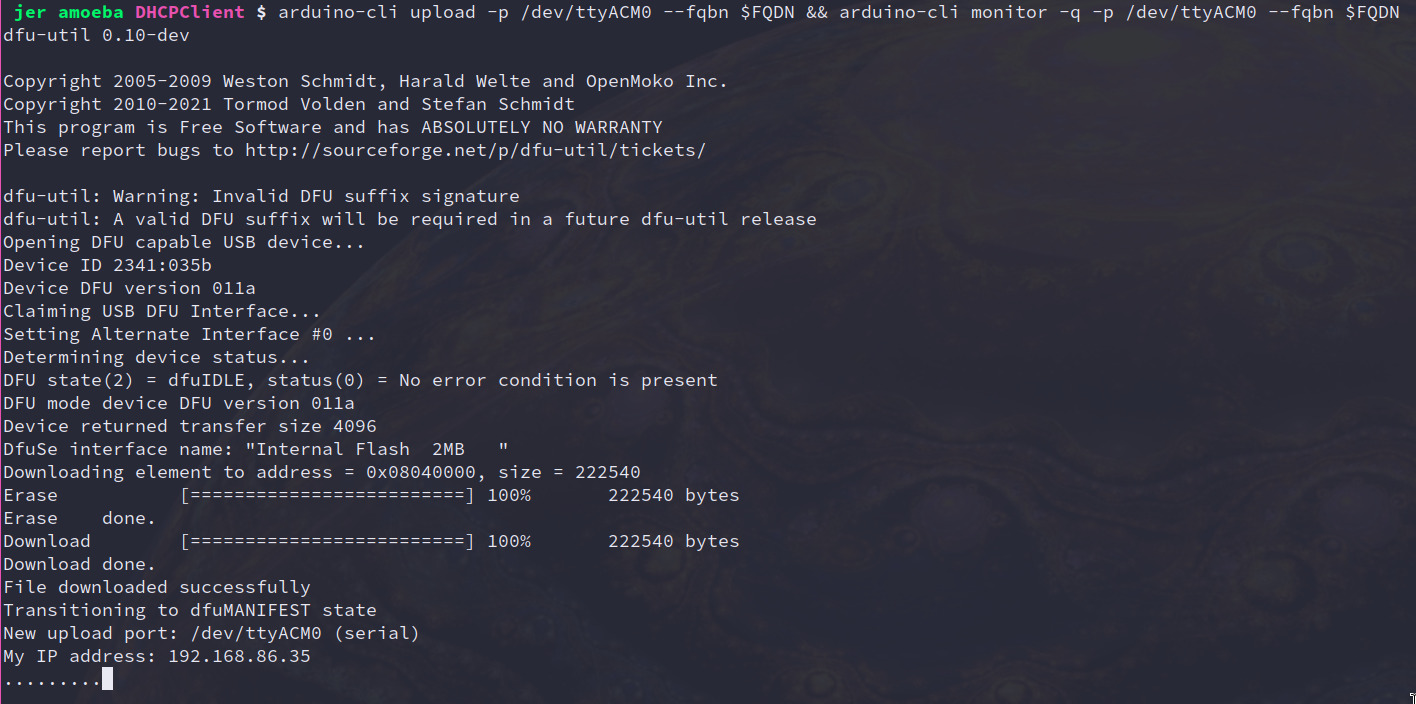
This is the segment I used to initialize the ethernet device & acquire an IP address via DHCP:
#include <SPI.h>
#include <Ethernet.h>

// Unique MAC address for your device
byte mac[] = { 0xDE, 0xAD, 0xBE, 0xEF, 0xFE, 0xED };

void setup() {
  Serial.begin(9600);

  // Attempt to get an IP address via DHCP
  if (Ethernet.begin(mac) == 0) {
    Serial.println("Failed to configure Ethernet using DHCP");

    // Handle failure (e.g., stop execution or try static IP)
    while (1);
  }

  // Print the assigned IP address
  Serial.print("My IP address: ");
  Serial.println(Ethernet.localIP());
}

void loop() {
  // Maintain the DHCP lease (essential for long-running projects)
  Ethernet.maintain();

  delay(1000);
  Serial.print(".");
}
It worked the first try, fortunately.
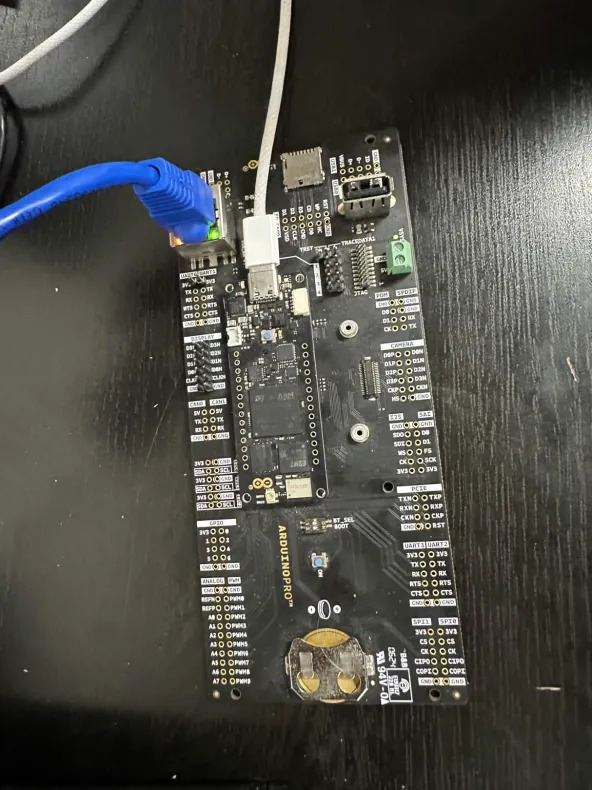
I tried to connect my LCD display to the display pins.
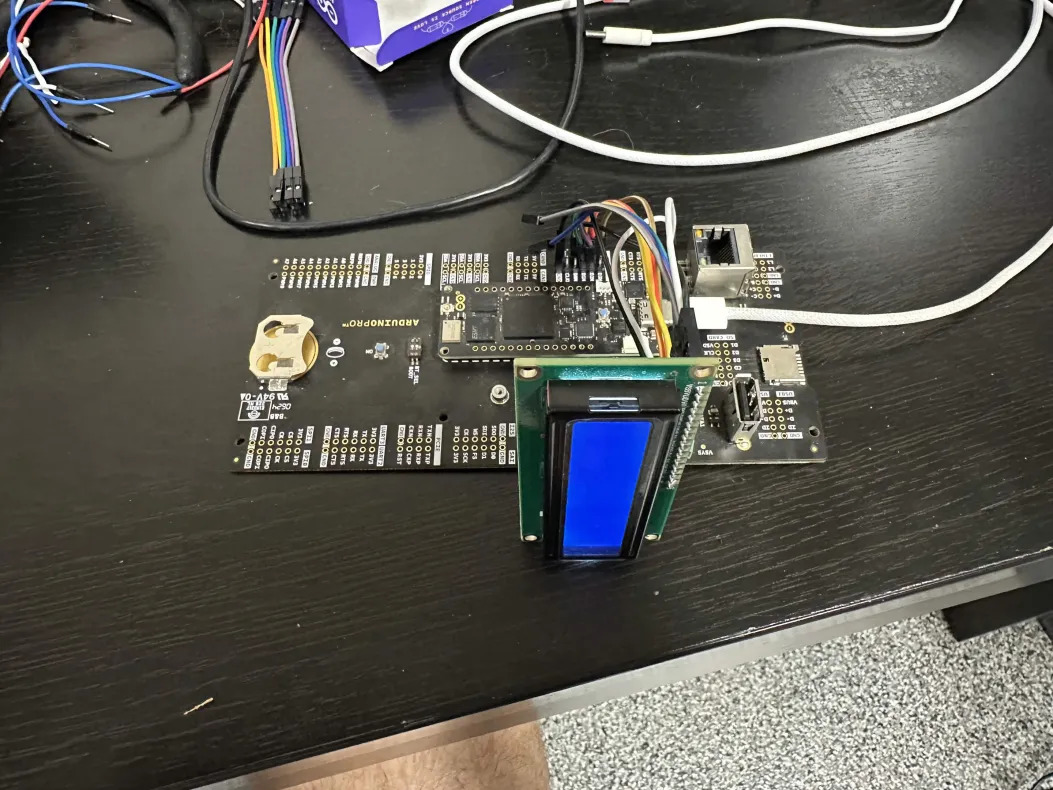
Since I had the display's "Reset" pin to the breakout-board's "D2N" pin, I tried compiling the following line
LiquidCrystal lcd(D2N, 0, 0, 0, 0, 0);And I saw the following compilation error:
error: 'D2N' was not declared in this scopeD2N is not defined. Why would it be labeled that? Maybe it's defined in some library somewhere...
arduino-cli lib search portenta\ breakoutI installed the "Arduino_PortentaBreakout" library, however, I still saw the same message:
error: 'D2N' was not declared in this scopeWhat's the point of the library? I look at the header file, and see the following segment:
    ...
    DISPLAY_D3P = -1,
    DISPLAY_D3N = -1,
    DISPLAY_D2P = -1,
    DISPLAY_D2N = -1,
    DISPLAY_D1P = -1,
    DISPLAY_D1N = -1,
    DISPLAY_D0P = -1,
    DISPLAY_D0N = -1,
    ...
Not so useful... I tried using the DISPLAY_D2N variable:
LiquidCrystal lcd(DISPLAY_D2N, 0, 0, 0, 0, 0);And saw:
error: 'DISPLAY_D2N' was not declared in this scopeTracing the connections from the board to the jumpers, it looks like the display pins are pins 2, 4, 6, 8, 10, 12, 14 & 16 on J1 here:
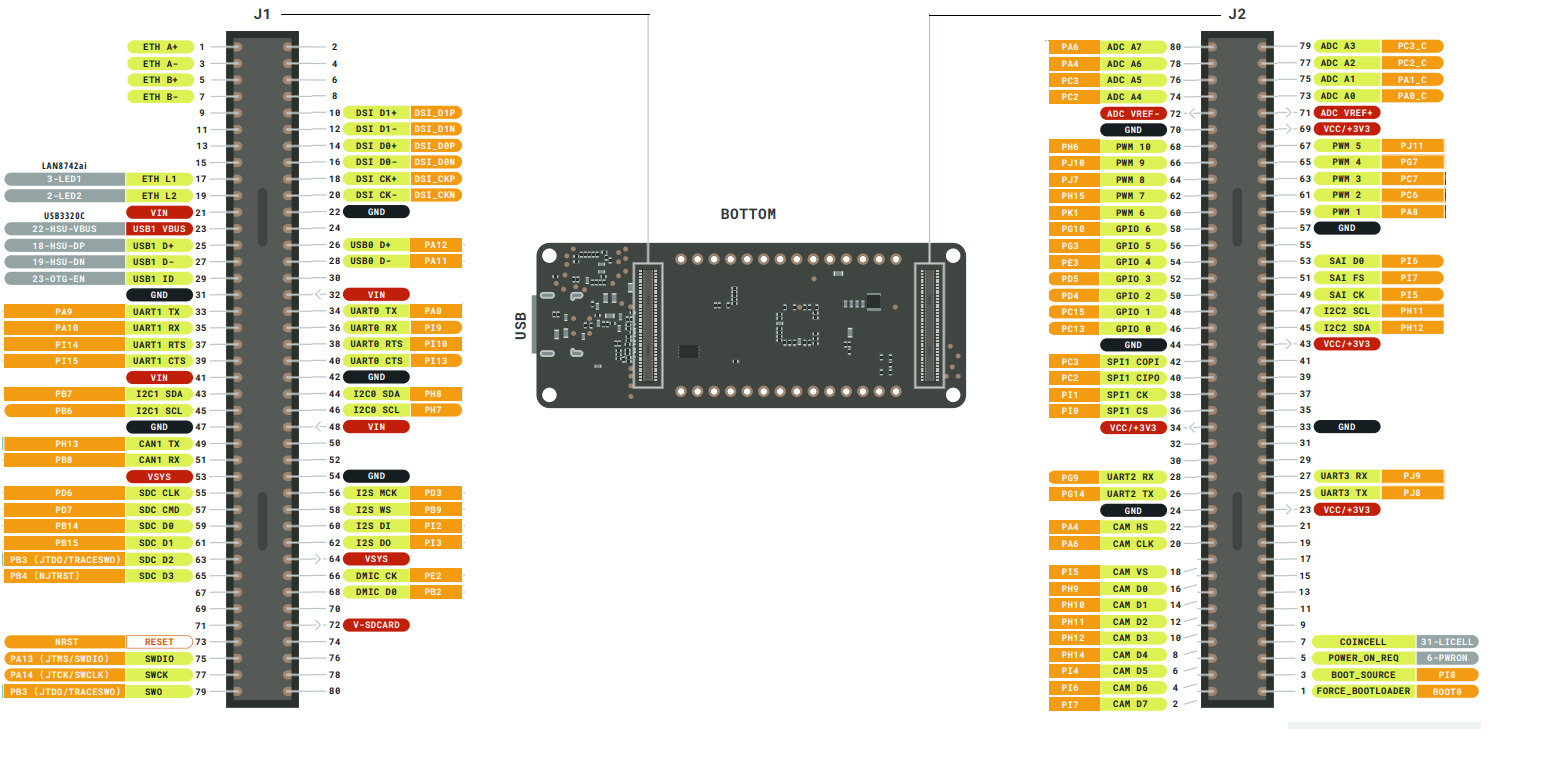
If anyone knows how those pins are defined in Arduino SDK, please let me know!
Log in to comment.
Struggling to learn PCB design? Here is how Fedevel Academy’s beginner course helped me finally bridge the gap between messy breadboards and professional, manufactured hardware.

My thoughts on a lack of engineering leadership
 keenan johnson
My journey to learn edge AI begins with the EDGE AI FOUNDATION Fundamentals Certification.
 HeavyFalcon678
No comments yet. Be the first!